When you’re building a complex process, it’s important to test and verify steps along the way. Mistakes made early in the process compound as you add additional steps on top of them. This effect is even more pronounced when you’re using an LLM, since much of the reasoning is being handled under the hood, and you won’t see or hear the mistakes along the way. You’ll just bang your head on your desk trying to debug the outcome. I take periodic interlude sessions to test active process steps, to adjust or tweak rules created so far as needed, and occasionally, to ask Claude questions about where these processes might be improved.
It can be surprisingly helpful on that last point. Inferring next steps or process improvements is one of its strongest features.
Before scaling up content production, I needed to validate that the workflow actually worked end-to-end. This session was the first complete run: take a documented session, generate a draft, create a featured image, apply the callout system, and publish.
The pipeline held. Here’s what happened.
The Test Case
I chose the blog template design session as the first post to push through the system. It was a good candidate: clear narrative arc, two misinterpretation issues worth highlighting, and teaching points that would benefit from callouts.
We're going to attempt to do a complete run through of blog publishing process in one session. I don't know if the context window is actually big enough for that, so we'll keep an eye out for conversation compacting as a hint that we're getting close.Context window anxiety turned out to be unfounded—the session completed without compacting.
Draft Generation
Claude reviewed the handoff file and generated a ~1,100 word draft with all four prompts verbatim, the misinterpretation issues explained, and teaching points woven through. Straightforward.
One small issue emerged when I asked for a category suggestion:
Suggest a category for this post based on difficulties in the process.Claude suggested “Prompt Clarity” as a new category. But we’d already established an issue taxonomy: Misinterpretation, Drift, Hallucination, Spiral, Regression. “Prompt Clarity” wasn’t in it.
Even with documented systems, Claude may invent new categories rather than using established ones. When you have a defined taxonomy, reference it explicitly or be prepared to correct drift.
I pointed to the existing taxonomy; Claude acknowledged and used “Misinterpretation.” Minor drift, easy fix—but a good example of why documented systems matter. The correction was simple because there was a clear reference point.
Featured Image
The design-focused post made image generation easier. Rather than representing an abstract concept, Claude could draw from concrete visual elements: the template layout itself.
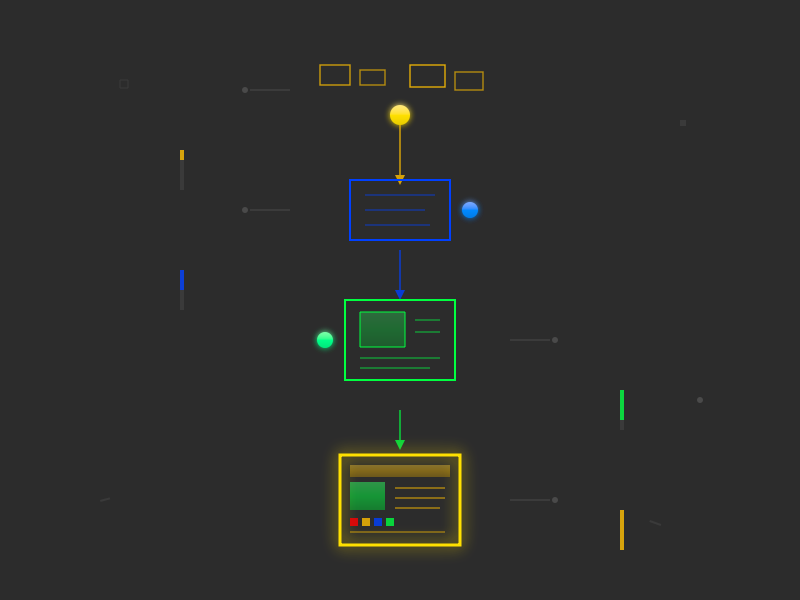
Claude created an abstract “blueprint” composition—a stylized representation of the blog template using geometric shapes in the warm gray/red/gold palette. One technical fix was needed (CSS Grid wasn’t rendering properly in the conversion tool; Claude switched to absolute positioning), but the concept worked on the first attempt.
Featured image generation is easier when the post content has visual elements to draw from. Design sessions, architecture diagrams, or technical structures give Claude concrete source material for abstract representation.
This was the second successful featured image using the abstract/geometric approach. The pattern was holding.
The Callout System
Mid-session, I realized the draft needed visual breaks. Long-form tutorial content is dense, and readers need anchor points. I paused to create the callout system in a separate chat session.
When I returned with the updated workflow guide and callout definitions, Claude integrated them smoothly. The draft was revised with four callouts placed at key teaching moments:
- TRAP after the gradient misinterpretation
- TECHNIQUE after the correction prompt
- BOUNDARY explaining str_replace behavior
- INSIGHT at the end on iteration being normal
Claude can pick up new context mid-session when provided through project files. The callout system was created in a separate chat, added to the project, and Claude applied it correctly without needing the creation context.
Publishing and Verification
The post went live. I wanted Claude to verify the callouts were rendering correctly, but web_fetch stripped the shortcode-rendered HTML. Visual verification required a screenshot.
Claude’s web_fetch tool can’t see dynamically-rendered content like shortcodes. If you need Claude to verify something that depends on server-side processing, provide a screenshot instead.
Screenshot confirmed: all four callouts rendered with correct colors, borders, icons, and distribution throughout the post.
What the Test Validated
The complete pipeline works:
- Handoff → Draft: Claude generates coherent posts from structured handoff files
- Callout application: The four-type system integrates naturally during draft generation
- Featured images: Abstract/geometric approach succeeds consistently (now 2/2)
- Mid-session context: New project files can be added and applied without starting over
- Context window: A full publishing run fits within a single session
The workflow is ready for regular use.
The Numbers
- Total prompts: 13 (across draft, image, callouts, and verification)
- Draft iterations: 2 (initial + callout retrofit)
- Image iterations: 2 (CSS Grid fix)
- Corrections: 1 (category drift)
- Context compacting: None observed
Not every session will be this smooth—complex posts or difficult image concepts will require more iteration. But the baseline is established: the pipeline works, and a complete publishing run is achievable in a single session.