When working with a development team, you may have any number of project management tools to help keep your work coordinated, and to track where you are in the process. None of that exists out of the box when working with an LLM, and the worst possible case scenario for your project is that you run out of context window without having created a way to preserve and update the important information along the way. This is one of the most critical aspects of the planning stage.
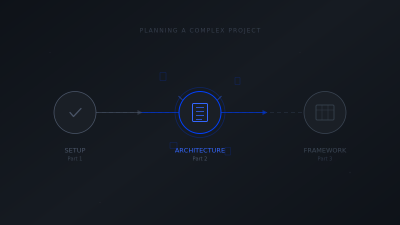
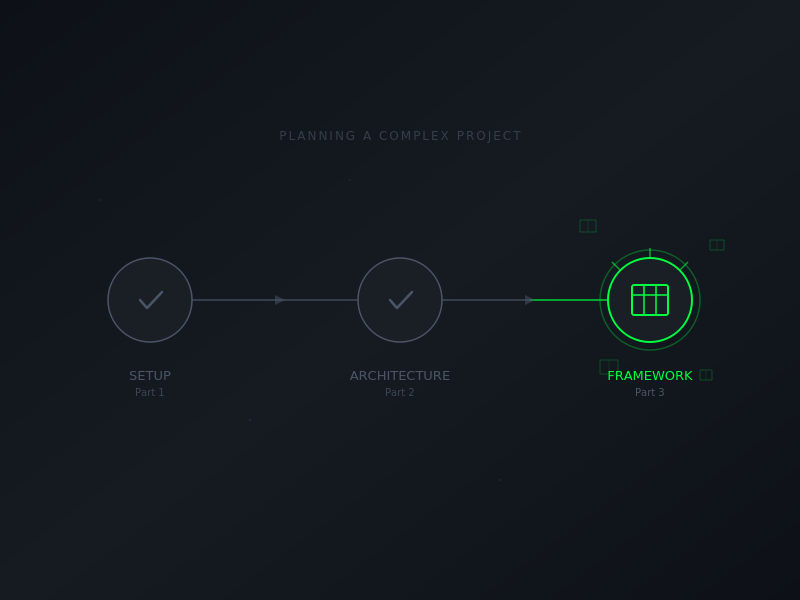
The planning session produced a 500-line project plan. But a plan document isn’t enough to start building—you also need the scaffolding around it: templates for tracking progress, workflows for session structure, standards for code and decisions. This session was about creating that framework.
Starting the Framework Session
I opened with clear scope:
OK, let's continue with our WordPress plugin project planning. We got a large chunk of it done  yesterday. Today, we need to make sure the plan is finalized, create a project framework that includes templates for our actions and documentation, and then update our session index and handoff docs to bundle this session's work into consideration for our multi-part blog post series.

Rebuild your context from the session index, the project planning session handoff, and the claudefather lms project plan.
Claude rebuilt context and immediately noticed something: the session index in the project files was outdated, showing 6 sessions when there were actually 10 documented. It also noted the project plan had 5 open questions still flagged for implementation.
Three clarifying questions followed:
1. Resolve the open questions now, or defer to implementation?
2. Optimize the framework for development efficiency, documentation capture, or both?
3. Any additional templates beyond the four proposed (project instructions, dev handoff, decisions log, workflow)?
The Integration Insight
My answer to the second question shaped the entire framework:
* For the open questions, let's leave them for implementation. We'll walk through feature details as we progress through the development plan.
* The framework should be optimized for efficient development, but should include context around capturing session data using our session capture skill. You mention that in the dev workflow step; can that be added as an automatic action that occurs during the creation of the development session handoff in each session of that project?
* Your suggestions seem complete. I can't think of anything additional that is needed.
The key insight: “can that be added as an automatic action?”
I’d built a session-capture skill for documenting sessions across projects. The original assumption was that I’d trigger it separately—finish a development session, then run the capture. But that’s two steps when it could be one.
Ask “can this be automatic?” when adding process steps. Integrating documentation into existing workflows—rather than adding separate steps—dramatically increases the chance you’ll actually do it.
Claude’s response confirmed the integration approach: the dev session handoff template would include a Claudefather capture section directly. One document serves both purposes—tracking development progress and capturing content for the blog.
What the Framework Contains
Five files, totaling around 45K:
PROJECT_INSTRUCTIONS.md (~6K)
Coding standards, naming conventions, file organization patterns. The kind of context that should be present in every session without needing to re-explain. WordPress coding standards, BEM naming for CSS, REST API patterns, security requirements.
DEV_SESSION_HANDOFF_TEMPLATE.md (~5.5K)
The integrated template. Standard handoff fields (metadata, goals, implementation notes, blockers, next steps) plus a Claudefather capture section at the bottom. When a session has teaching value, the capture section contains everything needed for Stage 2 conversion back in the Claudefather project.
DECISIONS_LOG.md (~3K)
Architecture decisions with rationale. Not just “we chose Pattern 3 for Course↔Lesson relationships” but why—the tradeoffs considered, the factors that mattered. Future sessions can reference this instead of re-litigating settled decisions.
DEV_SESSION_WORKFLOW.md (~6K)
Ready-to-use prompt patterns for different session types. Starting a new sprint, continuing implementation, debugging, refactoring. Each pattern includes what context to rebuild and what information to provide upfront.
claudefather-lms-project-plan.md (~25K)
The comprehensive plan from the previous session, copied into the framework as the authoritative reference.
A project framework is a communication artifact. It tells future sessions—whether yours or someone else’s—what decisions were made, why they were made, and how to continue the work.
The Dual-Purpose Template
The dev session handoff template deserves closer attention. Here’s what the Claudefather capture section includes:
One-sentence session description (for Stage 2 context). Whether the session has teaching value (explicit flag). Key dynamics observed (what worked, what required iteration). Verbatim prompts that demonstrate patterns worth documenting. Export instructions for when the flag is set to “yes.”
The export instructions are self-documenting: copy the capture section, upload to Claudefather project, run Stage 2 conversion. No separate process to remember—it’s embedded in the template you’re already filling out.
Design templates that serve multiple audiences. The dev handoff serves the development project (progress tracking) and the content project (session capture) without requiring duplicate work.
Framework as Context Management
The framework totals ~45K of content. That’s lean enough to not dominate the context window but complete enough to work from. Every file earns its place:
Project instructions: loaded once, referenced throughout. Handoff template: used every session. Decisions log: grows over time, prevents re-litigation. Workflow guide: prompt patterns ready to copy. Project plan: the authoritative spec.
Compare this to starting a project with just a plan document and figuring out the rest as you go. The framework front-loads the scaffolding so implementation sessions can focus on implementation.
This closes the planning phase. Two sessions, seven exchanges total across both, produced a 500-line project plan and a complete project framework. No corrections needed in either session.
The efficiency came from the approach: orienting questions before requirements, requirements before architecture, architecture options with tradeoffs, deferred complexity where appropriate, and framework design that integrates documentation into workflow rather than adding separate steps.
The plugin doesn’t exist yet. But when development begins, every session will start with shared context, clear standards, and templates that capture both progress and teaching moments.